Part 6 of 8: Understanding monday.com AI Products
How many times has this happened: You finish a productive meeting, everyone agrees on next steps, and then... nothing. The notes sit in someone's document. Action items get forgotten. Follow-up tasks never make it to anyone's actual task list.
The problem isn't that meetings are unproductive, but that the gap between discussion and execution is filled with manual work—transcribing notes, identifying action items, assigning tasks, and updating boards. By the time someone does all this, the momentum is gone.
monday.com AI Notetaker eliminates this gap. It joins your meetings, captures everything discussed, generates summaries, identifies action items, and creates tasks on your monday boards—all automatically.
What AI Notetaker actually is
The meeting bot that works for you
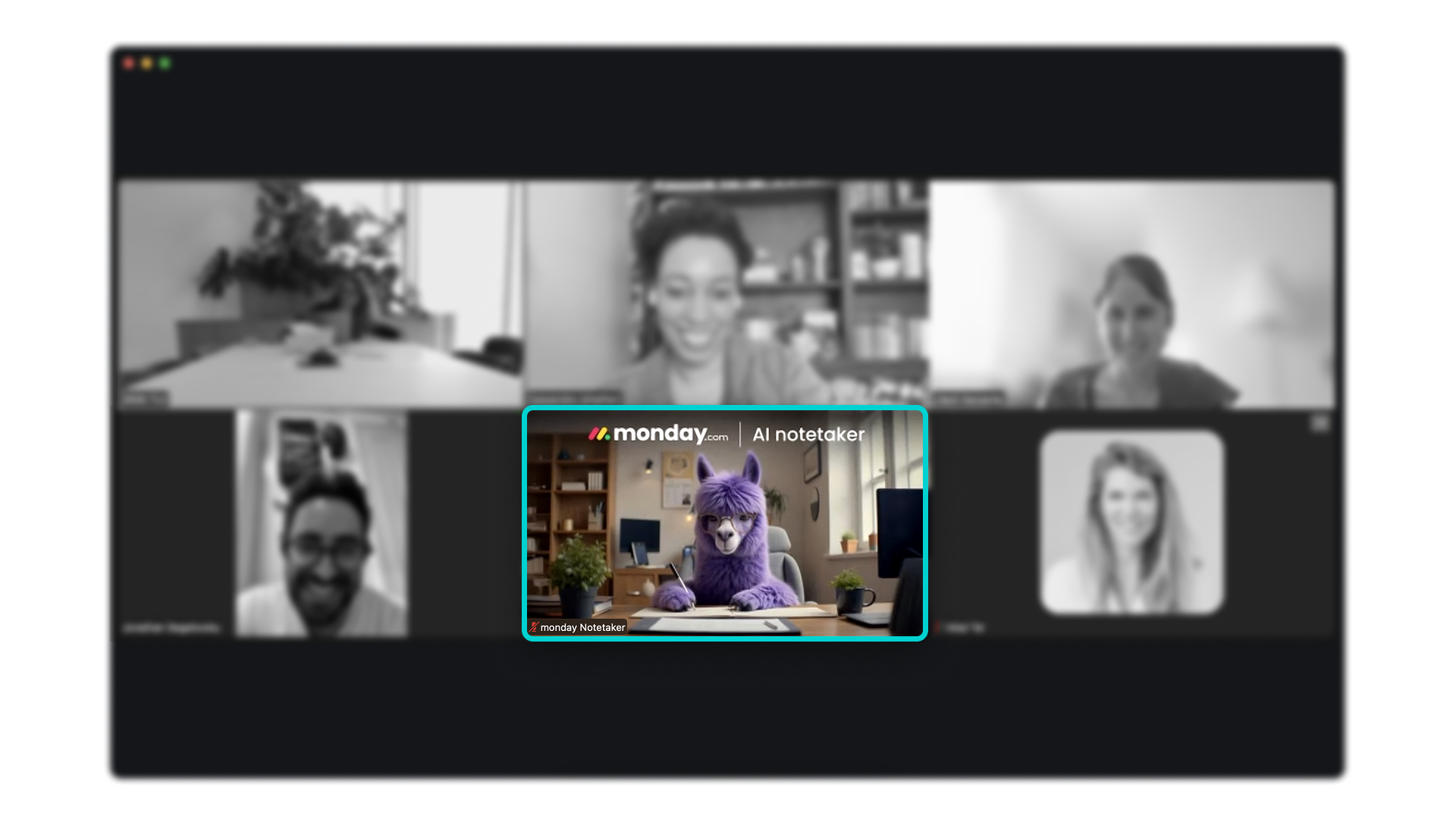
AI Notetaker is an AI-powered meeting assistant that joins your video calls (Zoom, Google Meet, Microsoft Teams) as a participant, records the conversation, and generates structured outputs from the discussion.
What makes it different from generic transcription tools:
Platform-integrated: Outputs feed directly into your monday workspace, not separate documents
Action-focused: Identifies and creates actual tasks, not just text summaries
Board-connected: You can turn action items into tasks on your boards directly from the Notetaker interface
Real-time processing: Generates transcripts, summaries, and action items during or immediately after meetings
What it captures and generates
When AI Notetaker joins a meeting, it creates several outputs:
Full transcript: Complete conversation record with speaker identification and timestamps
Meeting summary: Concise overview highlighting key discussion points and decisions
Action items: Identified tasks with context about what needs to be done
Topics: Time-stamped sections based on discussion themes for easy navigation
Video recording: Playback with synchronized transcript for reference
Post-meeting AI chat: After the meeting ends, you can ask follow-up questions about the discussion using an AI chat interface—useful for finding specific details without reading through the entire transcript
Where outputs live
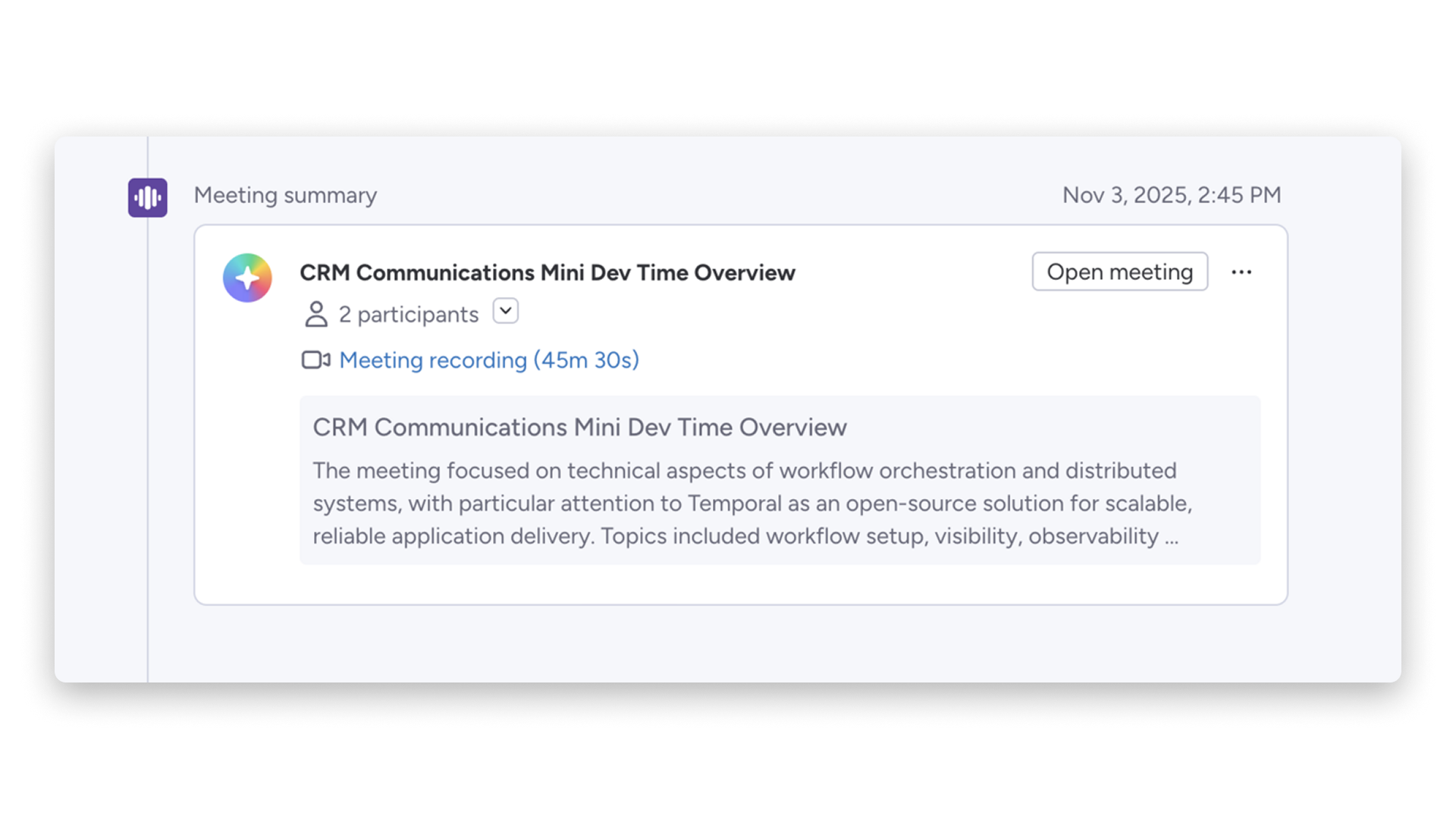
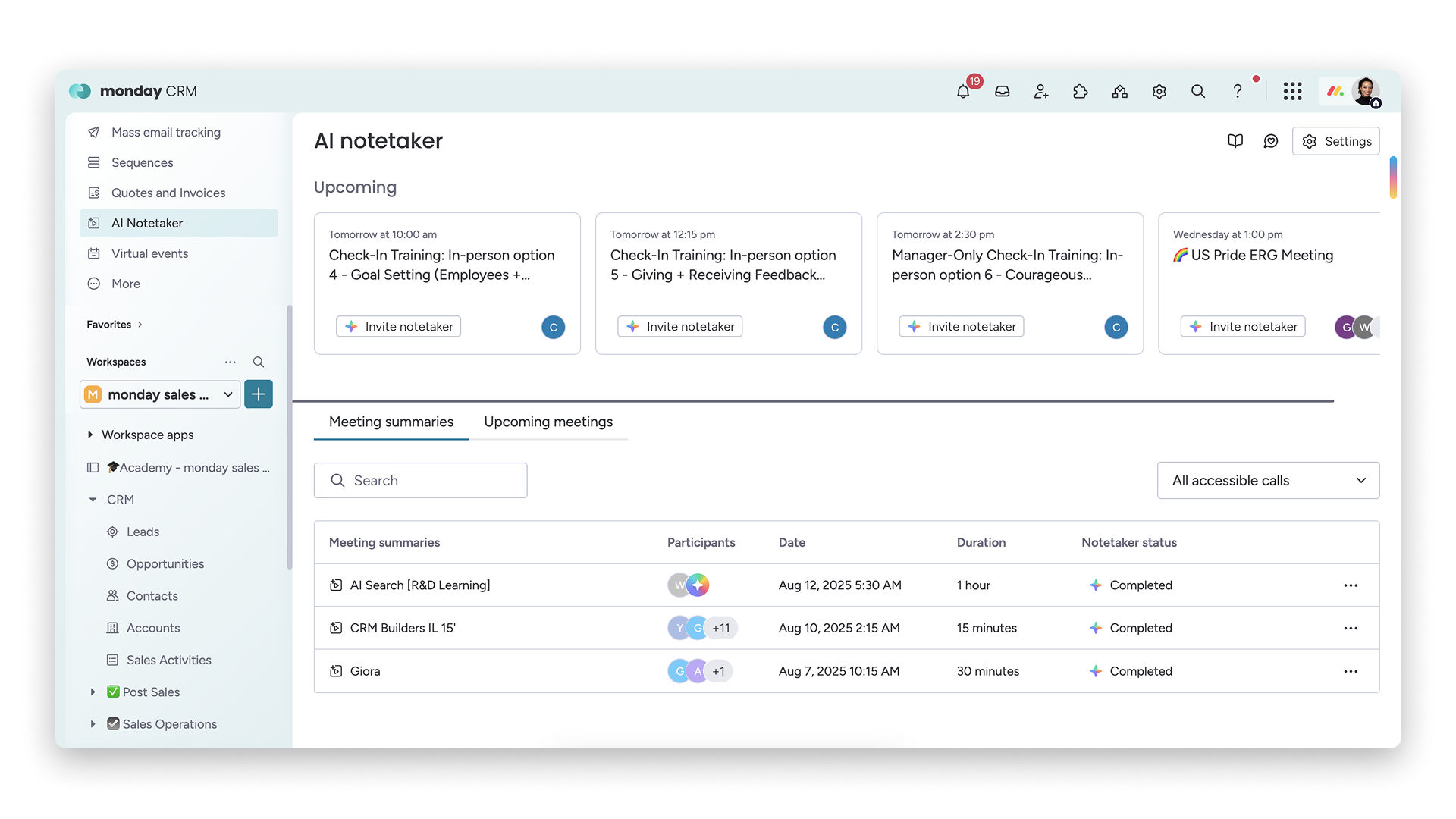
All meeting content is centralized in the monday.com AI Notetaker section, accessible from your left pane. You can view summaries, search transcripts, and create board items directly from meeting outputs—keeping everything in one workspace rather than scattered across tools.
Availability
AI Notetaker is available as a paid add-on for Pro and Enterprise plans across monday CRM, monday work management, monday service, and monday dev. It is priced in buckets of monthly meeting hours (not per user), so teams can scale usage based on how many meetings they need to capture.
The problem AI Notetaker solves
1. Lost action items from meetings
The typical meeting aftermath: Someone volunteered to "look into that issue," another person agreed to "follow up with the client," a third mentioned they'd "get back to everyone by Friday."
Without structured capture, these commitments live only in scattered personal notes, no one has a complete view of all action items, accountability is unclear, and follow-through is inconsistent.
AI Notetaker extracts these commitments automatically, transforming vague agreements into specific, trackable tasks.
2. Time wasted on manual note-taking
Teams choose between two bad options:
Option A: Someone takes notes during the meeting, reducing their ability to participate fully and slowing down discussion
Option B: Everyone participates fully, but then someone spends 30–60 minutes post-meeting creating summary documentation
Either way, time is lost—either during or after the conversation.
AI Notetaker handles documentation in parallel with the discussion, freeing everyone to focus on the conversation itself.
3. Inconsistent meeting documentation
Different note-takers capture different things. One person focuses on decisions, another on action items, a third on detailed discussion points. Meeting quality varies based on who documented it.
This inconsistency causes disputes about what was actually decided, missing context when reviewing later, difficulty finding specific information, and reduced value of meeting archives.
AI Notetaker applies consistent analysis to every meeting, ensuring standard outputs regardless of who attended or what was discussed.
4. Delayed follow-up
The lag between meeting and task creation kills momentum.
Typical timeline: Meeting ends Monday at 2pm. Someone writes up notes Monday evening. Notes get reviewed Tuesday morning. Tasks get created Tuesday afternoon. Team starts work Wednesday.
With AI Notetaker: Meeting ends Monday at 2pm. Summary and tasks available minutes after the meeting ends. Team starts work Monday afternoon.
Compression of this timeline means faster execution and better memory of meeting context.
Where AI Notetaker adds value
Regular cross-functional meetings: When multiple teams coordinate and action items span departments
Client and prospect calls: When you need accurate records of commitments, requirements, and timelines
Project planning sessions: When strategy discussions need to convert into execution tasks immediately
Decision-making meetings: When documenting who decided what and why matters for future reference

How AI Notetaker works
Joining meetings
Automatic joining: Connect your Google or Outlook calendar to monday.com, and AI Notetaker can automatically join scheduled meetings based on your preferences. You can set it to join all meetings you create, all meetings you're invited to, or keep it fully manual.
Manual invitation: Add the notetaker bot to any meeting as a participant—it joins like any other attendee. The meeting link must be included in the calendar invite for AI Notetaker to join. Note that the meeting host needs to admit the bot for it to start recording.
Bot appearance: The bot appears with a customizable icon (configurable in Notetaker Settings > Organizational Preferences > Admin). Meeting participants see it as an attendee named "monday Notetaker." The bot joins two minutes before the scheduled start time.
Real-time transcription
During the meeting, AI Notetaker:
Captures audio: Records the full conversation
Identifies speakers: Differentiates between participants for attributed transcription
Transcribes in real-time: Generates text as the conversation happens
Timestamps content: Links text to specific moments in the recording
Supports multiple languages: Transcription works in multiple languages, with the list of supported languages continuing to expand
Summary and action item generation
Immediately after (or during) the meeting, AI analyzes the transcript to generate:
Meeting summary: Paragraph-length overview of discussion, key decisions and outcomes, and important context for anyone who wasn't present
Action items: Specific tasks mentioned during discussion, who is responsible (when identifiable from conversation), deadlines or timeframes mentioned, and context about why the task matters
Topics: Thematic sections of the conversation with timestamps for each topic, making long meetings navigable
Integration with boards
The powerful part is what happens next. From the AI Notetaker interface, you can:
Create board items directly: Turn action items into tasks on appropriate boards, populate fields with meeting context, assign to team members, and set deadlines
Link meetings to existing items: Associate meeting discussions with in-progress work, add transcript excerpts as updates, and document decisions related to specific projects
Build workflows using the workflow builder: Set up automations that send meeting summaries via Slack or Gmail, trigger notifications to relevant stakeholders, and connect notetaker outputs to broader processes in your monday workspace
This integration means meetings actually drive board updates instead of existing as separate documentation.
Post-meeting AI chat
After the meeting, you can use an AI-powered chat to ask questions about the discussion. Instead of scrolling through the full transcript, you can ask things like "What did we agree about the timeline?" or "Did anyone mention the budget?" and get answers grounded in the meeting content.
Potential use cases
Project kickoff meetings
The scenario: New project starting with stakeholders from design, development, marketing, and client success.
What AI Notetaker does: Captures all requirements and constraints discussed, identifies initial tasks for each department, notes deadlines and dependencies mentioned, creates project board items with context from the meeting, and generates reference documentation for the project timeline.
Result: Project board populated with initial tasks before the meeting even ends.
Client discovery calls
The scenario: Sales team conducting discovery with potential enterprise client.
What AI Notetaker does: Transcribes client requirements and pain points, captures technical specifications mentioned, identifies decision-makers and timeline references, generates summary for proposal team, and creates tasks for follow-up items (send demo, provide pricing, schedule technical review).
Result: Sales team moves to next steps immediately without post-call documentation work.
Sprint planning sessions
The scenario: Development team planning two-week sprint.
What AI Notetaker does: Documents story estimates and priorities, captures technical concerns or dependencies, notes capacity constraints mentioned, identifies action items for design or research, and creates sprint backlog items with discussion context.
Result: Sprint board ready to go with complete context about why each item was prioritized.
Executive reviews
The scenario: Leadership reviewing portfolio health and making strategic decisions.
What AI Notetaker does: Captures decisions about resource allocation, documents strategic shifts or priority changes, identifies follow-up items for each executive, generates summary for broader leadership team, and creates high-level strategic tasks on relevant boards.
Result: Strategy translates into action immediately rather than waiting for follow-up memos.
What to consider before using AI Notetaker
Privacy and consent
Critical considerations:
Meeting participant consent: Ensure attendees know the meeting is being recorded and transcribed
Organizational policies: Check if your company has policies about recording meetings, especially with external participants
Data sensitivity: Consider which meetings should NOT be recorded (confidential HR discussions, sensitive negotiations)
Notification practices: Be transparent about the bot's presence and purpose
Meeting types that work best
Ideal for structured business meetings with clear agendas, client calls with deliverables discussion, project planning and review sessions, and team standups and retrospectives.
Less effective for casual brainstorming where structure is fluid, social team bonding conversations, highly technical discussions with specialized jargon, and very large meetings with many cross-talking participants.
Board structure for action items
AI Notetaker works best when your boards have clear structures for receiving tasks, column types align with typical meeting outputs (assignee, deadline, status), teams have established conventions for task naming, and integration workflows are configured.
Prepare your workspace before heavy reliance on automatic task creation.
Accuracy expectations
Set realistic expectations. Transcription accuracy is high but not perfect—clear audio, distinct voices, and minimal background noise will improve results. Action item identification depends on clear language ("John will handle client outreach" works better than vague commitments). Speaker identification improves with good audio quality and distinct voices. Technical jargon or heavy accents may reduce accuracy.
Review outputs before assuming everything is captured perfectly.
Starting approach
Begin with low-stakes meetings:
- Test with internal team meetings first
- Review outputs and refine board integration
- Train team on how to speak clearly about action items
- Gradually expand to client calls
- Establish team conventions for post-meeting review
How CXLABS can help
As a monday.com Silver Partner, CXLABS helps organizations configure board structures optimized for meeting outputs, establish governance policies for recording and transcription, train teams on effective meeting practices that maximize notetaker value, and integrate meeting workflows with broader project management processes.
We ensure AI Notetaker enhances rather than disrupts your team collaboration.
What's next in this series
monday.com AI Notetaker transforms meeting conversations into actionable work on your monday boards. But what if you could connect AI from anywhere—not just monday.com—to your workspace? That's where MCP (Model Context Protocol) comes in.
In Part 7, we'll explore how MCP creates an open framework that lets AI agents access your monday workspace alongside other data sources and tools, turning monday.com into a connected AI ecosystem.
Ready to eliminate the gap between meetings and execution with AI Notetaker? Contact CXLABS to discuss how we can help you integrate intelligent meeting documentation into your workflow.
About this series
This is Part 6 of our 8-part series exploring monday.com AI products. We're breaking down each AI capability to help you understand how they work and how they can help your business.
Other articles in this series:
- Part 1: AI Workflows
- Part 2: AI Blocks
- Part 3: Product Power-ups
- Part 4: monday sidekick
- Part 5: monday vibe
- Part 6: AI Notetaker (you are here)
- Part 7: MCP (coming soon)
- Part 8: monday agents (coming soon)

Let’s talk about how CXLABS can help transform your ideas into innovative solutions, driving growth and success for your business!